Your Git projects.
One Space.
Stop wasting time switching between accounts, tabs, and terminals. Search, organize, and operate on all your repos from one local interface.






The problem
Keeping Git projects organized is a daily tax.
Whether you manage one account or several, you've felt this pain.
Constant context switching
Jumping between repos, tabs, terminals, and sometimes accounts. Too much friction for simple daily actions.
Repos scattered everywhere
No overview, no consistency: you waste time looking for "that repo".
Uncommitted work goes unnoticed
Staged, dirty, ahead/behind: you only notice when it's inconvenient.
Repetitive repo chores
Clone, pull, fetch, open editor, open terminal: repeated across accounts and repos.
Features
Everything you need. Nothing you don't.
Keep it fast. Keep it local. Keep it built for daily repo management.
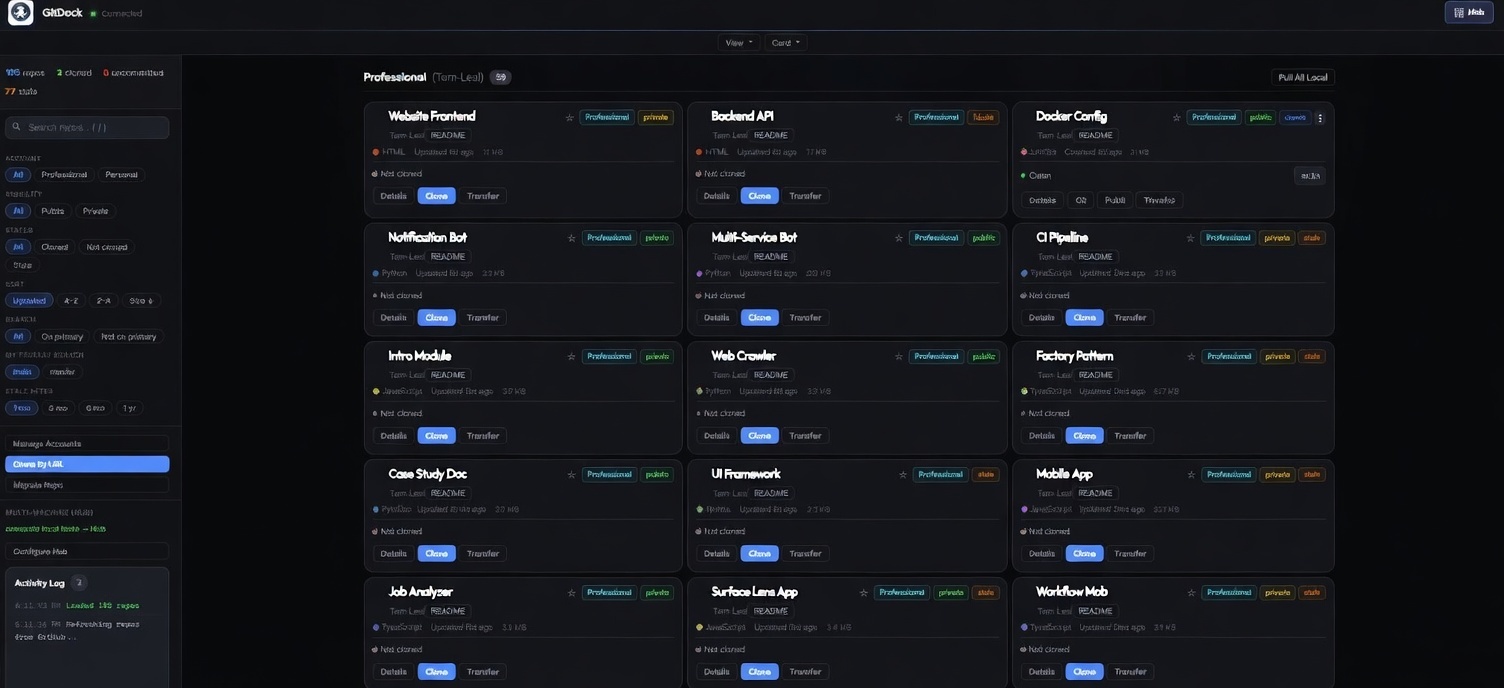
Project Dashboard
All repos in one view. Search, filter, pin. One or many GitHub accounts.
Clone by URL
Paste any GitHub repo URL, pick an account, clone into your structure.
Full Git Workflow
Commit, push, pull, branch, diff, stash, and discard. All in one modal.
Needs-Attention
Dirty repos, staged changes, ahead/behind, and dormant flags at a glance.
Transfer & Migrate
Move repos between accounts or migrate locals into GitDock's structure.
Multi-machine Hub
Optional view across machines. See the Hub section below.
Multi-machine
One dashboard per machine. One Hub for all.
Multiple machines, no single overview. The Hub fixes that: a small server that collects status snapshots from each machine. Self-host free (no limits). Or use hub.gitdock.dev: free for 1 machine; Pro ($7/mo) if you want more. Optional.
All machines in one place
List of connected machines, last seen, and repo count. Click any machine to see its repos.
Sync issues at a glance
Unpushed commits, behind remote, dirty repos: see what needs attention before it bites.
Repos with search & filters
Per machine: search by name, filter by status (clean, dirty, ahead, behind). View as cards or list.
How it works
Up and running in minutes.
Download, connect your account, manage repos. No cloud, no subscription.
-
Download and run Get the zip from Download, run it, choose a workspace folder.
-
Add your account SSH + token via the guided setup in the dashboard.
-
Manage repos Search, clone, commit, push. All from one place.
-
Hub optional Connect multiple machines when you need a central view.
Security first
Your data stays on your machine. Period.
Local-only server. Your tokens never leave your machine.
-
127.0.0.1only Nothing exposed to your network. -
Tokens stay local
ghkeyring or OS store. Never inconfig.json. -
Input hardened Sanitized paths and names. Traversal blocked on every file op.
-
Hub optional Metadata only if you enable it. No source code, no tokens.
Works with your tools
Open repos directly in your favorite editor.
Ready to take control?
Free and open source. Download the zip (no Node.js) or clone the repo. All your repos, organized in one dashboard.